
COMIC-CON And WonderCon EXCLUSIVES PORTAL FAQ
Comic-Con 2026 will return to the San Diego Convention Center July 23–26, Preview Night July 22!

THE QUICK FACTS
WHAT YOU NEED
- 访问您的动漫展会员 ID 帐户
- A valid Comic-Con 2026 badge that is linked to your Member ID account
WHEN IS IT
- OPEN: Tuesday, July 7, 2026 at 12:00 PM Pacific Daylight Time (PDT).
- CLOSE: Thursday, July 16, 2026 at 12:00 PM Pacific Daylight Time (PDT).
- AWARDING: An email notification will be sent to you when the random selection process is complete. We anticipate the selection process will take place at least 48–72 hours after the portal closes on July 16. At that time, you may log back in to the Exclusives Portal to see if you were selected to participate!
WHO IS ELIGIBLE
- Anyone with a valid and confirmed Comic-Con 2026 badge.
- For more information, see ELIGIBILITY below.
WHERE IT HAPPENS
- The Member ID Portal.
- Please make sure you can access your account before the submission window closes!
Important Notice! Once you submit all your choices, you will not be able to edit, add, or make any changes easily. Double-check your selections and be sure before submitting!
See the TROUBLESHOOTING section for more information.
入门
1.使用您的会员 ID 登录,并通过主菜单导航至 "独家门户"。
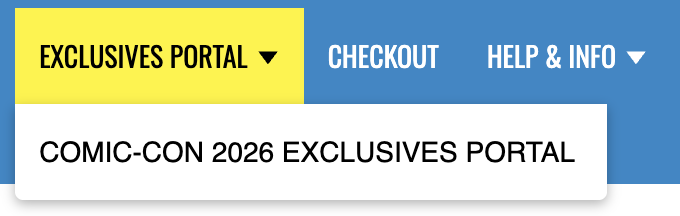
2.现在,您应该可以在绿色框中看到自己的名字,并有一个蓝点选中...
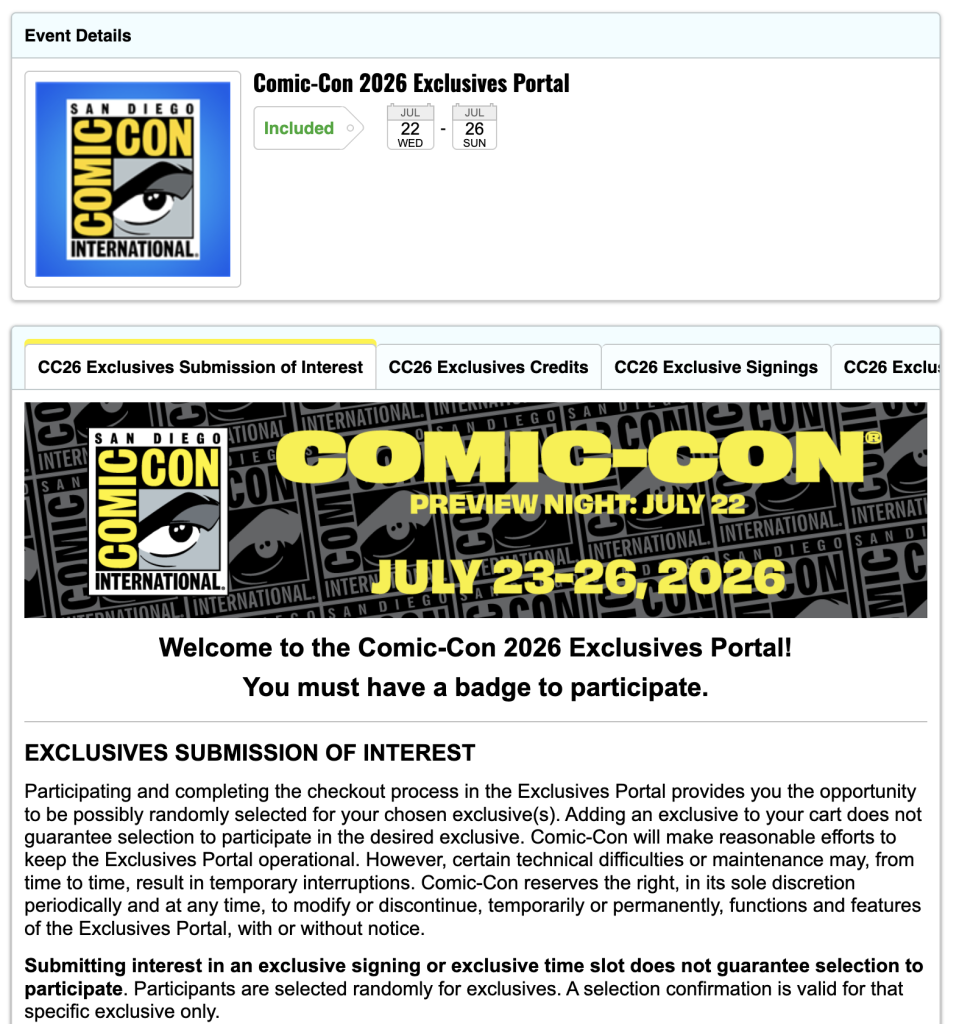
3.点击黄色的 "添加到购物车 "按钮...

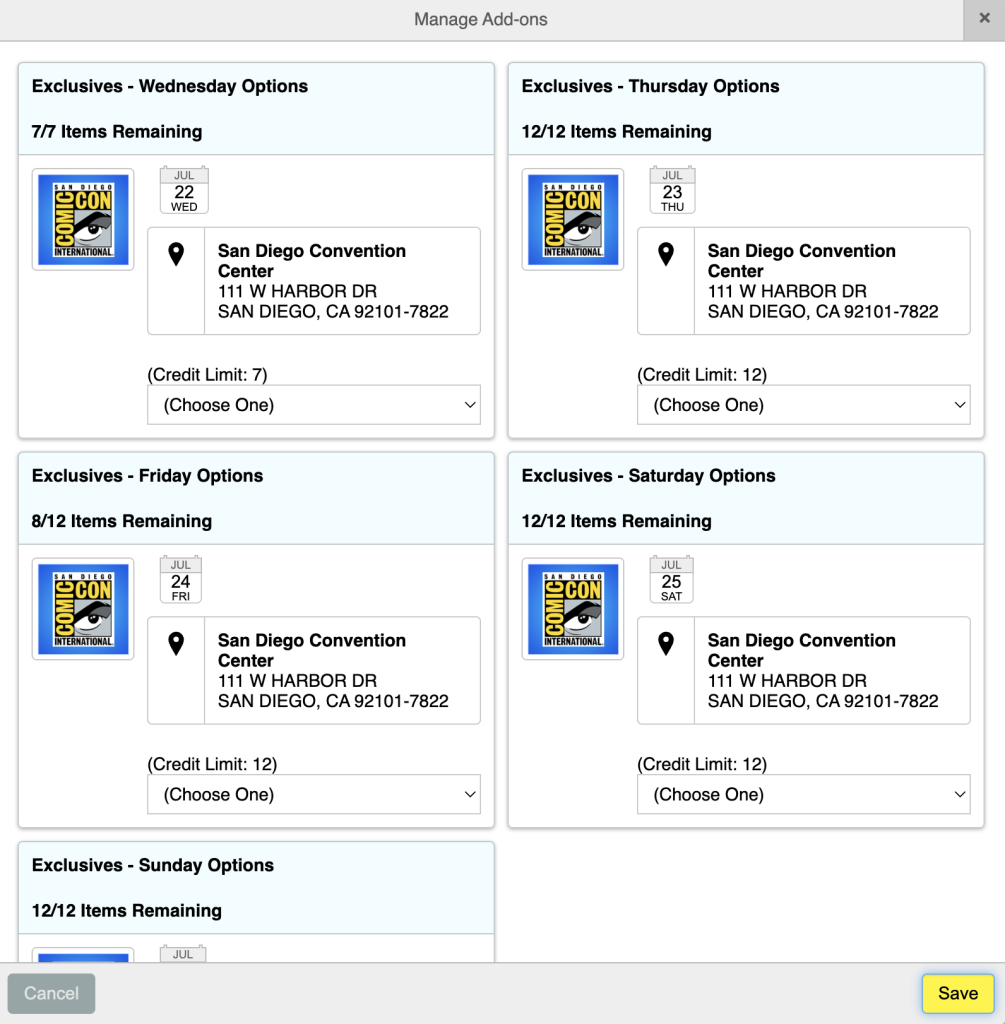
4.在 "可用选项 "屏幕上,您将看到可以选择的每一天的选项以及每一天的条目数 ...
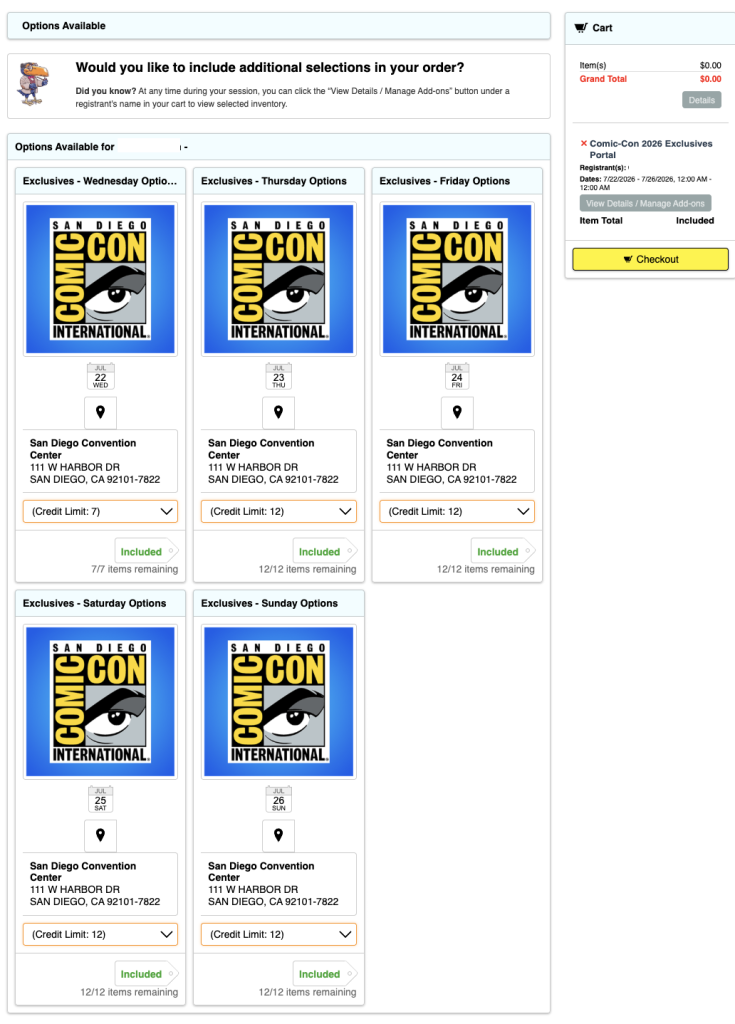
5.选择您要选择的日期下的 "信用额度 "下拉菜单之一,您将看到各种选项。选择一个...
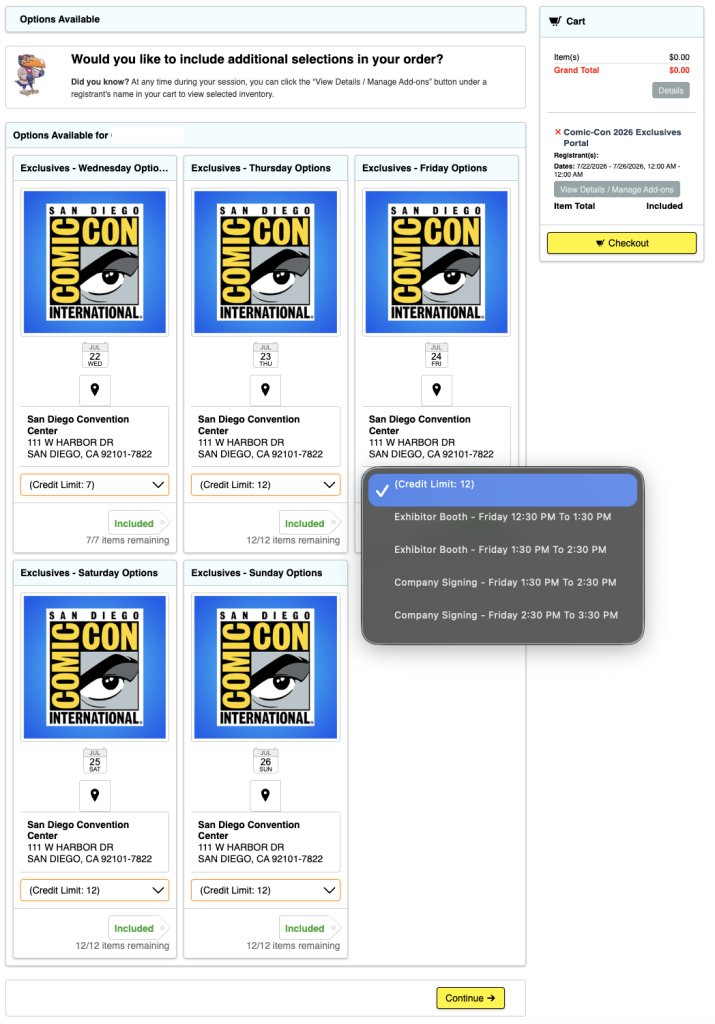
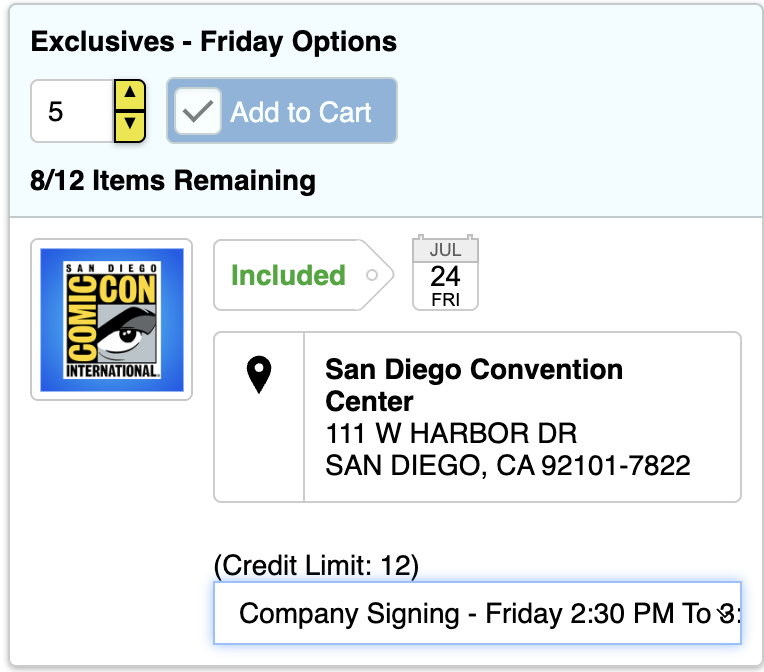
6. You will now see an “Included” tag next to a number with a window. Select how many of your entries you want to use.
7.如果您达到或试图超过徽章天数,屏幕顶部会显示错误信息 ...

8. Repeat this until all entries for each day are used up. You do not have to use all your entries, but you may not easily be able to change them after you submit.
9.如步骤 6 所示,在右侧栏中,您将看到所有选择的列表。
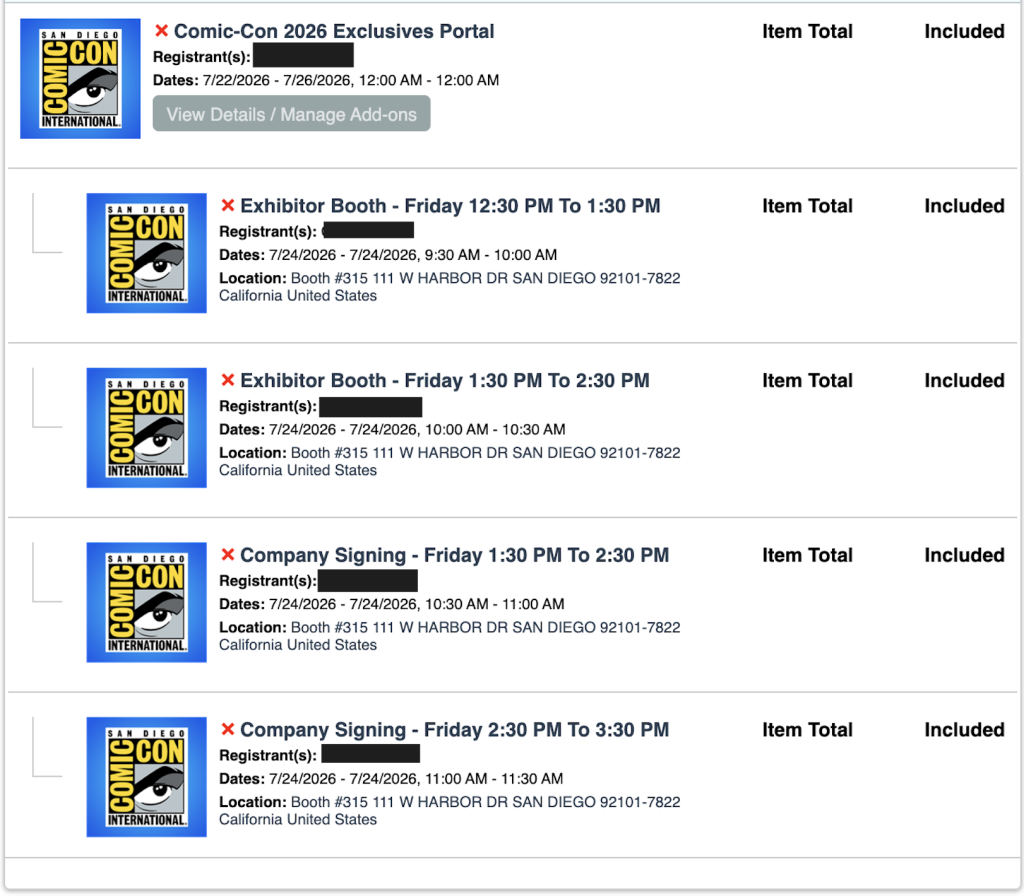
10.完成后,选择黄色的 "结账 "按钮...

11. A pop-up appears letting you know that you have “Successfully Added to Cart.” To proceed, click the yellow “OK” button again.
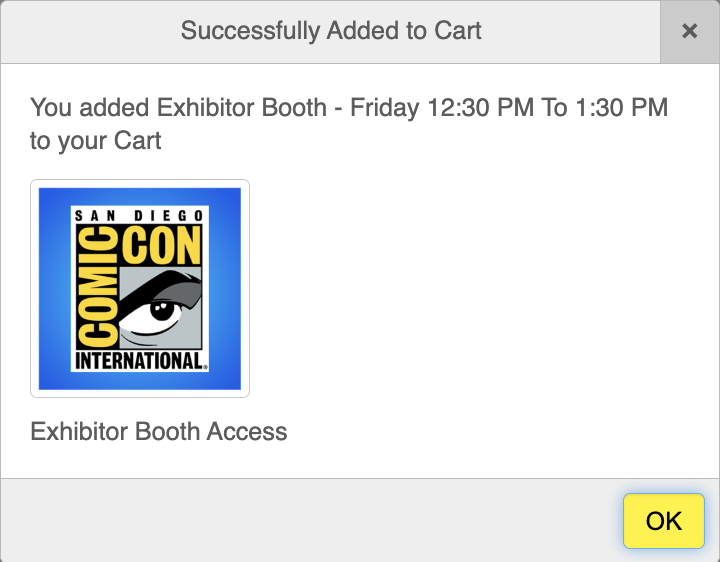
12.阅读免责声明,向下滚动并接受条款和条件,以便继续。点击黄色的 "保存并继续 "按钮...

13.点击黄色的 "处理订单 "按钮...

14.你们都完成了!
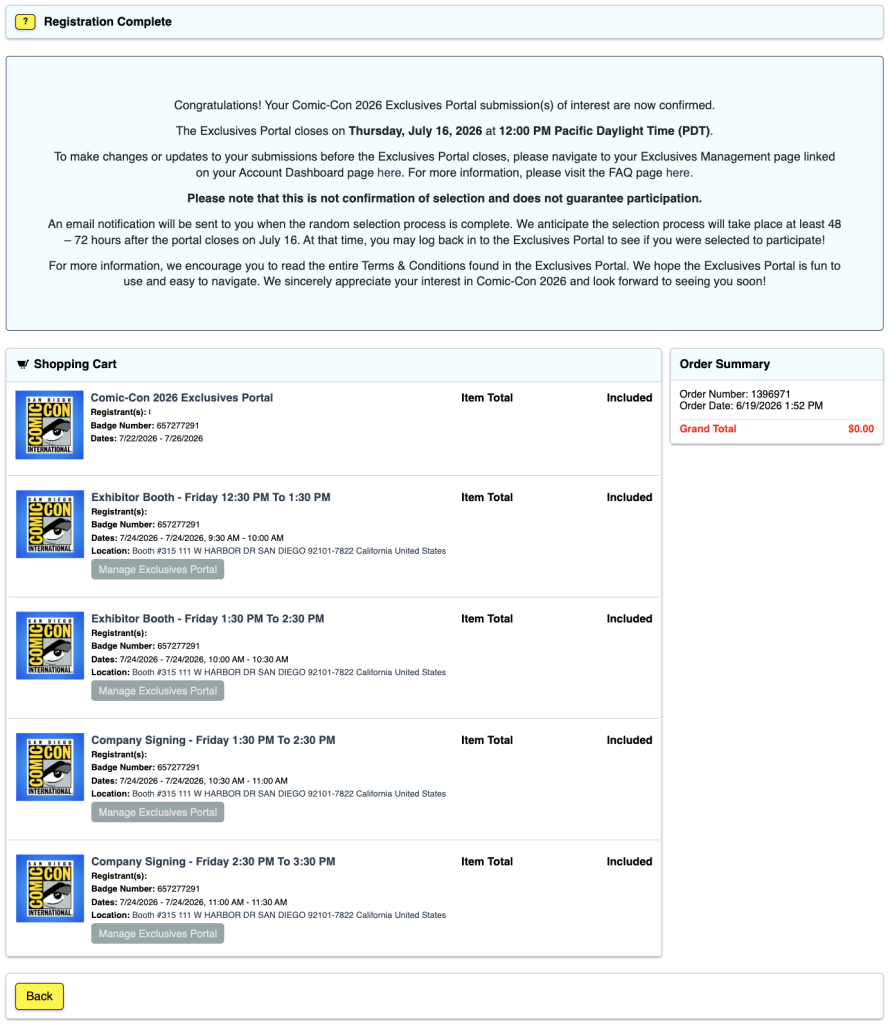
ELIGIBILITY
Paid staff, SDCC Board of Directors, and exhibitors are excluded from participating in an effort to make the Exclusives Portal submission process more fair for attendees.
Badge types that are eligible to participate in the Exclusives Portal submission process are:
- 与会者
- 每日志愿者
- Department Volunteers
- 新闻
- 专业人员
- 计划参与者
- 零售商
Your badge day must correspond to the date of the exclusive you are interested in.
- If there is a signing on Friday but you have Thursday and Saturday badges, you will not be able to submit interest for the Friday signing.
Your Comic-Con 2026 badge must be registered with your Member ID account to participate.
If you have registered your Comic-Con 2026 badge without a Member ID, it will not be eligible to participate.
If you have any questions about eligibility, please reach out to our customer service team.
故障排除
1.如果您遇到问题或收到错误信息 "购物车中已包含 ____ 参加此活动的物品",首先应点击购物车右侧每个物品旁边的红色 X,删除购物车中的所有物品。然后,退出会员 ID 门户网站。最后,清除浏览器缓存和 cookie,并退出浏览器。打开浏览器,重新登录会员 ID,再试一次。
2.我收到了一条 "产品需要会员才能访问,但参与者无法访问 "的信息...

- This means that you aren’t recognized as having a badge for Comic-Con 2026 and/or aren’t currently eligible to participate in the Comic-Con 2026 Exclusives Portal. Please log in to your Member ID to verify that you have an eligible registration.
3.并不是我所有的徽章天数都显示出来了。
- 登录会员 ID,进入账户摘要页面。
- Verify that you have a valid badge for Comic-Con 2026.
- 如果您在 "b 部分 "中进行了验证,但仍无法访问 "独家门户 "或徽章日,请联系我们的客户服务部门寻求帮助。
4.我已经退房并完成了流程,但我想做一些更改...
- 登录会员 ID,进入账户摘要页面。
- Click on your “My Exclusives Portals” from the menu on the side and click on “View Details / Manage Add-ons” …
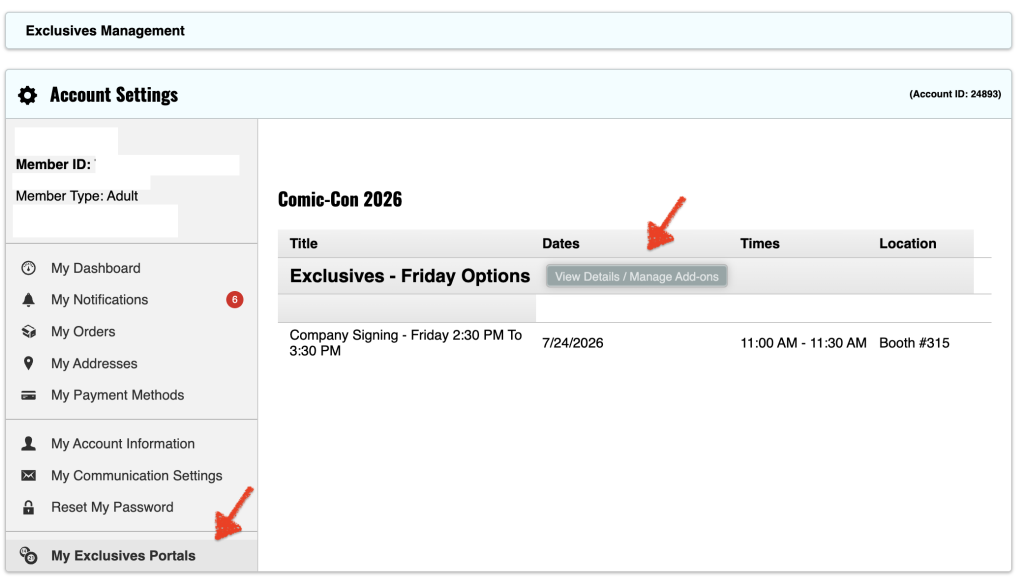
- 注意:如果您已用完该徽章日的所有点数,那么您需要删除请求,以便重新获得点数来添加备用选择。
- From this window, click the exclusives you would like to request by selecting in the drop-down.
- 选择您想要的数量,然后点击 "添加到购物车"...
- 点击 "结账 "继续流程...
