
COMIC-CON And WonderCon EXCLUSIVES PORTAL FAQ
Comic-Con 2026 will return to the San Diego Convention Center July 23–26, Preview Night July 22!

THE QUICK FACTS
WHAT YOU NEED
- Accès à votre compte Comic-Con Member ID
- A valid Comic-Con 2026 badge that is linked to your Member ID account
WHEN IS IT
- OPEN: Tuesday, July 7, 2026 at 12:00 PM Pacific Daylight Time (PDT).
- CLOSE: Thursday, July 16, 2026 at 12:00 PM Pacific Daylight Time (PDT).
- AWARDING: An email notification will be sent to you when the random selection process is complete. We anticipate the selection process will take place at least 48–72 hours after the portal closes on July 16. At that time, you may log back in to the Exclusives Portal to see if you were selected to participate!
WHO IS ELIGIBLE
- Anyone with a valid and confirmed Comic-Con 2026 badge.
- For more information, see ELIGIBILITY below.
WHERE IT HAPPENS
- The Member ID Portal.
- Please make sure you can access your account before the submission window closes!
Important Notice! Once you submit all your choices, you will not be able to edit, add, or make any changes easily. Double-check your selections and be sure before submitting!
See the TROUBLESHOOTING section for more information.
POUR COMMENCER
1. Connectez-vous avec votre identifiant de membre et accédez au portail des exclusivités via le menu principal.
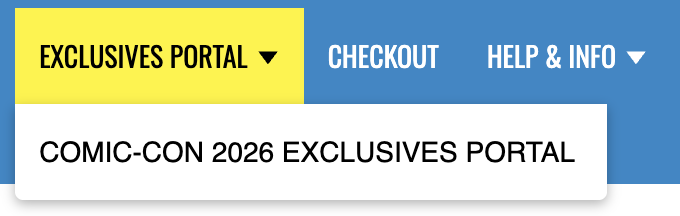
2. Vous devriez maintenant voir votre nom dans une boîte verte avec un point bleu qui le sélectionne ...
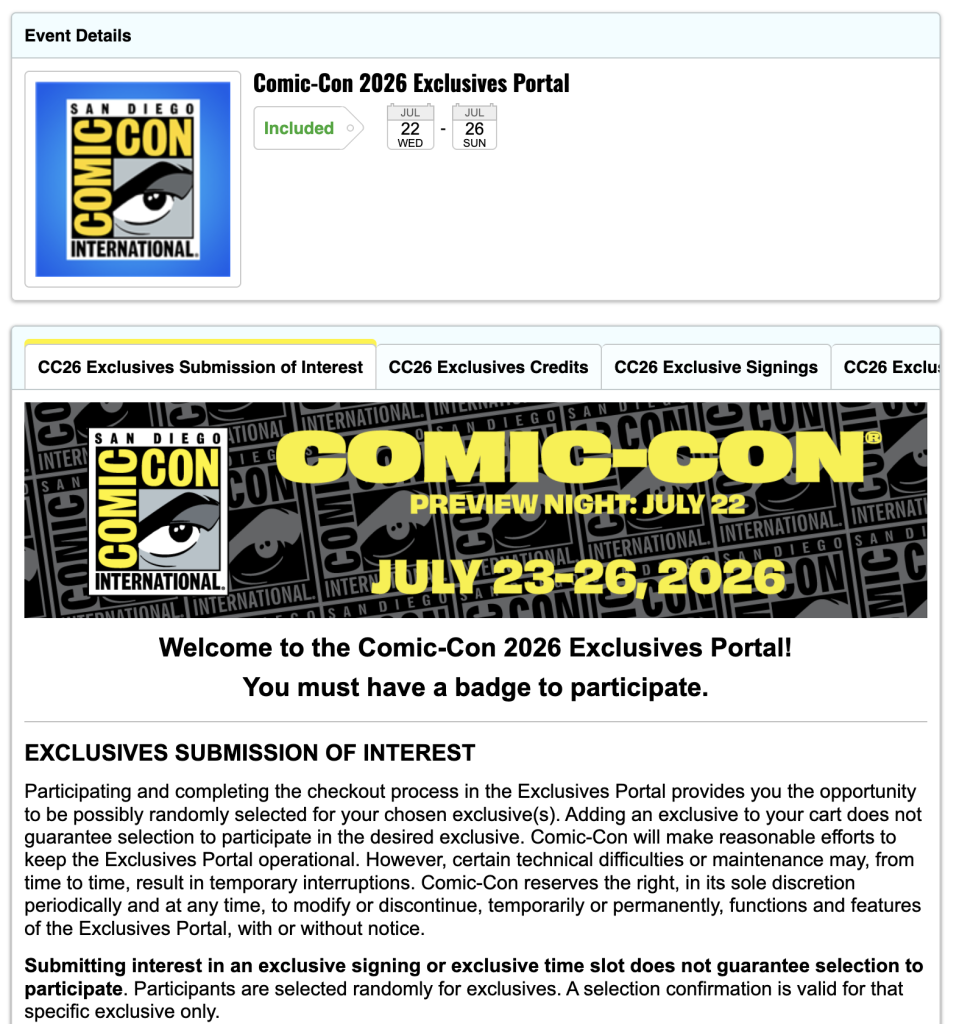
3. Cliquez sur le bouton jaune "Ajouter au panier" ...

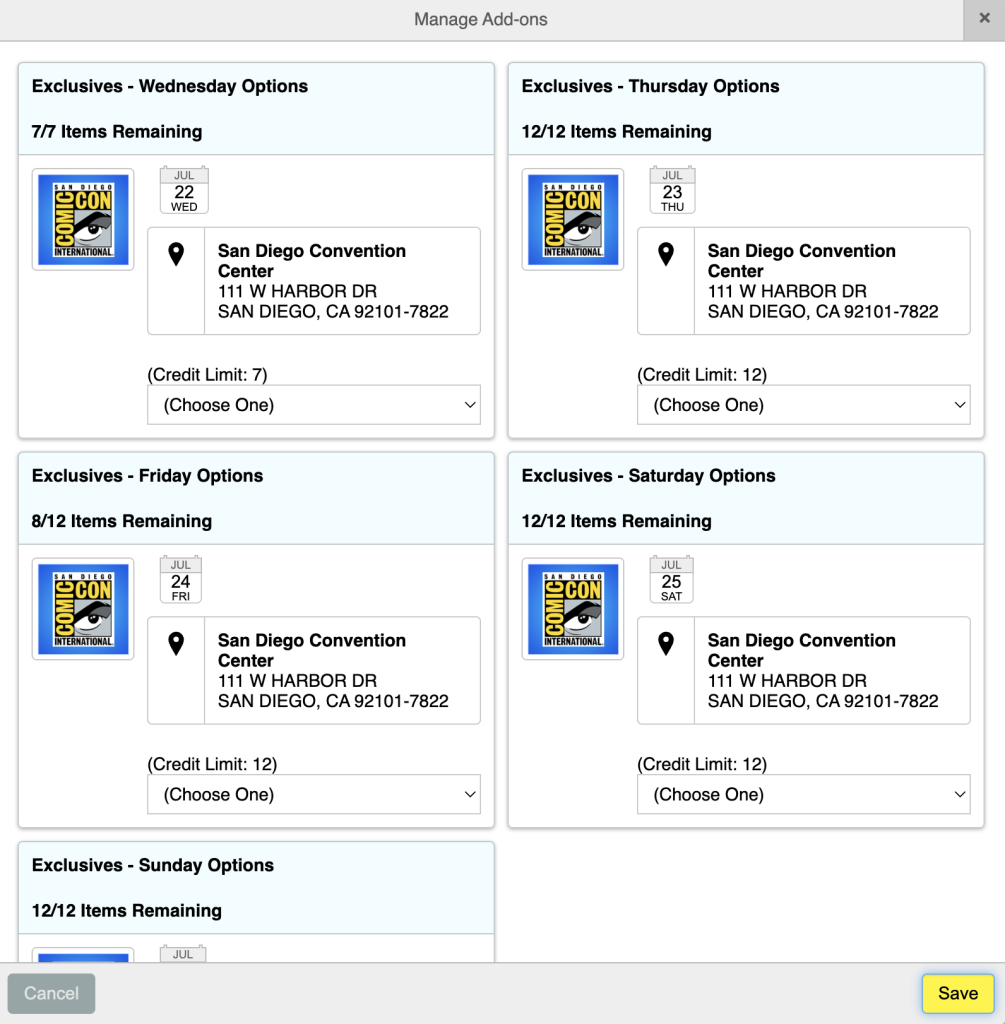
4. Sur l'écran Options disponibles, vous verrez des options pour chaque jour que vous pouvez sélectionner et le nombre d'entrées dont vous disposez pour chaque jour ...
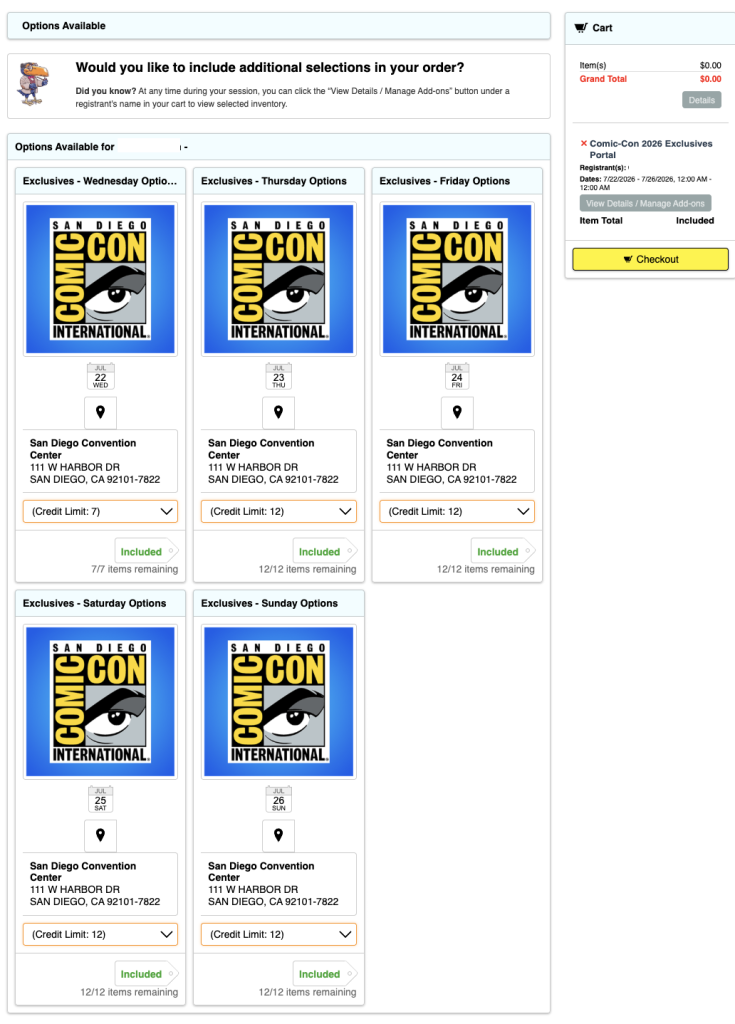
5. Sélectionnez l'un des menus déroulants "Limite de crédit" sous le jour que vous souhaitez sélectionner et vous verrez les différentes options. Sélectionnez une ...
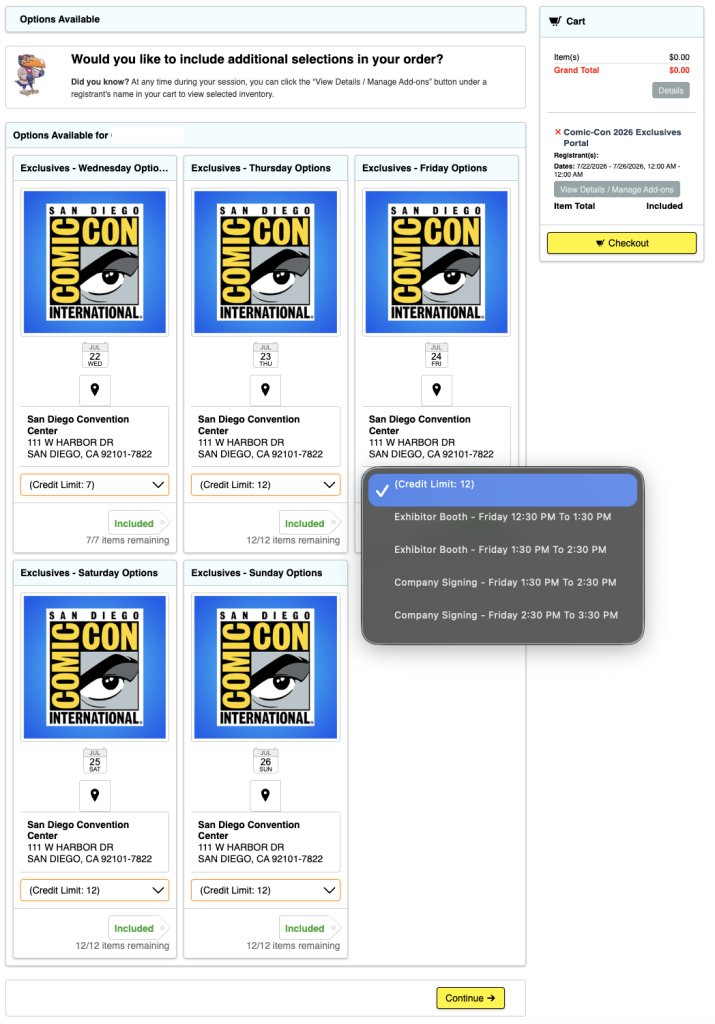
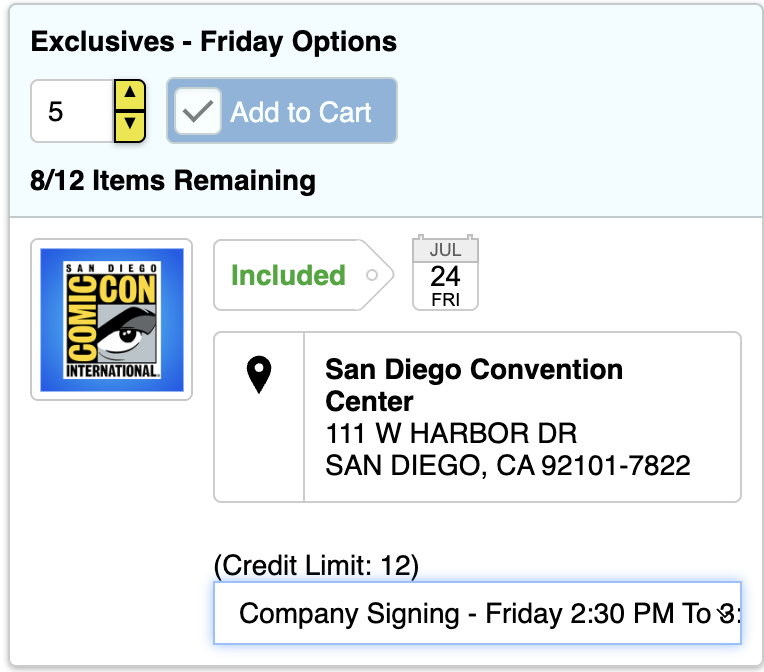
6. You will now see an “Included” tag next to a number with a window. Select how many of your entries you want to use.
7. Si vous atteignez ou tentez de dépasser le nombre de crédits dont vous disposez dans la journée badgée, vous obtiendrez un message d'erreur en haut de l'écran ...

8. Repeat this until all entries for each day are used up. You do not have to use all your entries, but you may not easily be able to change them after you submit.
9. Dans la colonne de droite, vous verrez une liste de toutes vos sélections, comme indiqué à l'étape 6.
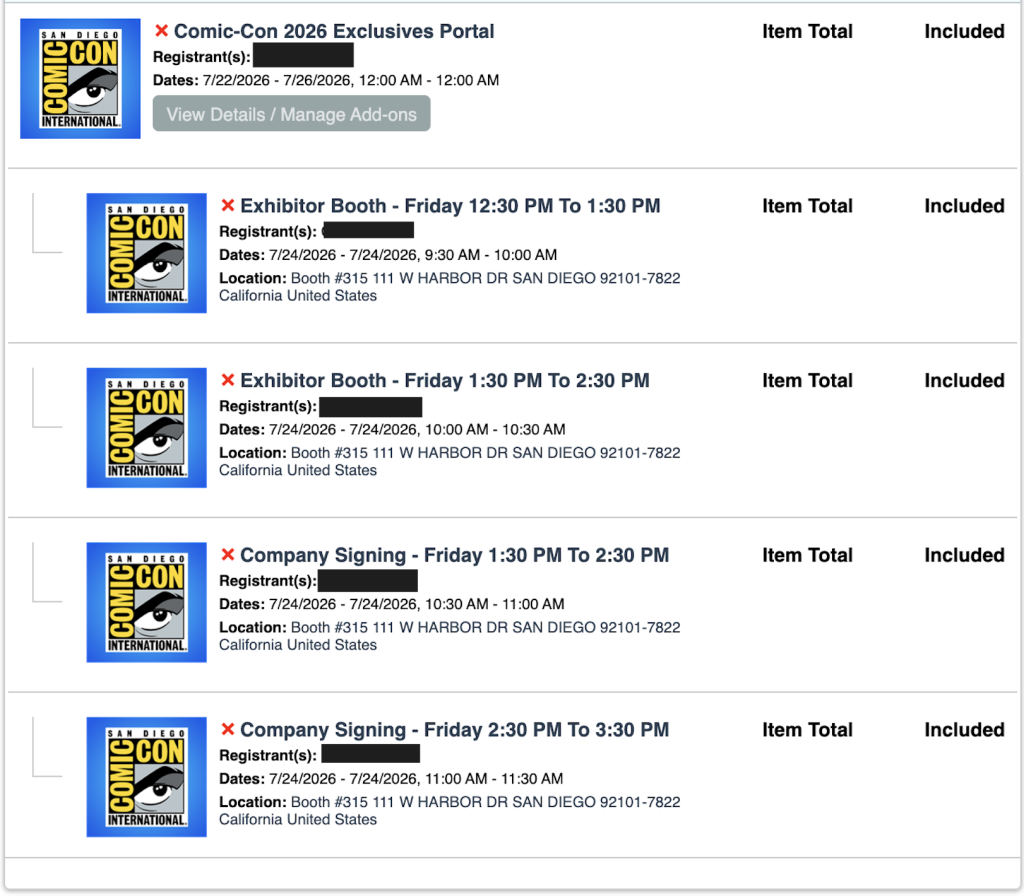
10. Lorsque vous avez terminé, sélectionnez l'un des boutons jaunes "Checkout" ...

11. A pop-up appears letting you know that you have “Successfully Added to Cart.” To proceed, click the yellow “OK” button again.
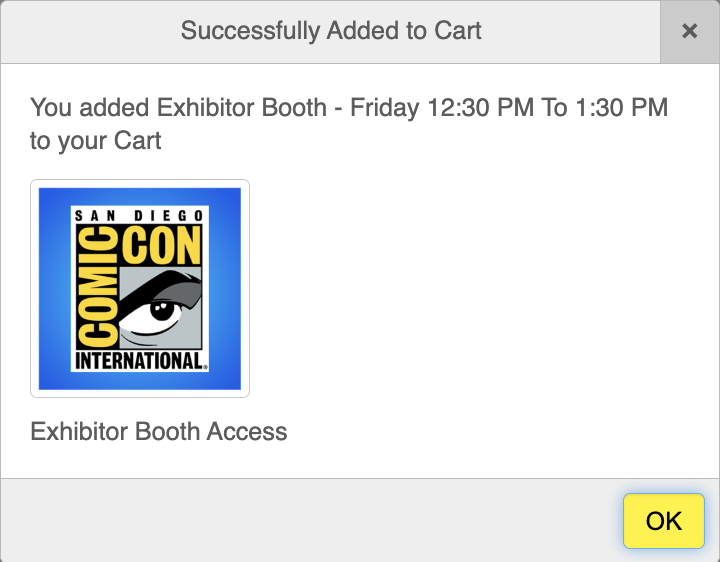
12. Lisez le(s) avis de non-responsabilité, faites défiler vers le bas et acceptez les conditions générales pour continuer. Cliquez sur le bouton jaune "Enregistrer et continuer" ...

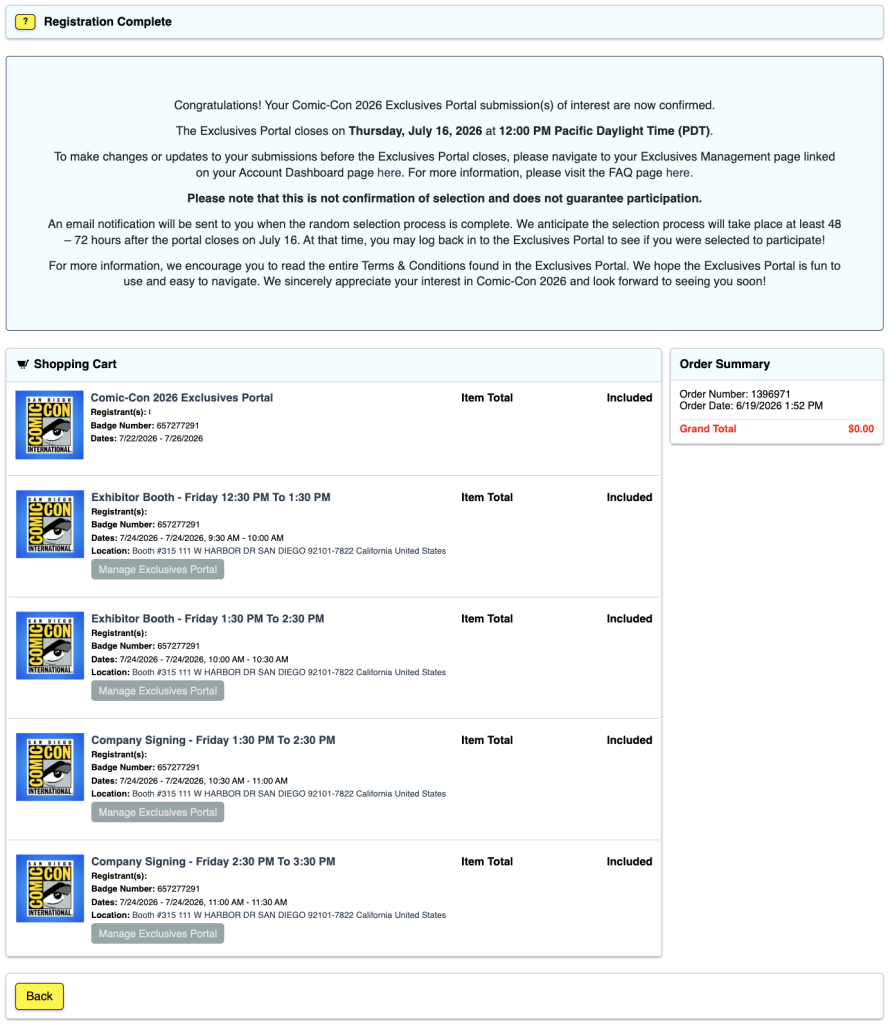
13. Cliquez sur le bouton jaune "Traiter la commande" ...

14. Vous avez terminé !
ELIGIBILITY
Paid staff, SDCC Board of Directors, and exhibitors are excluded from participating in an effort to make the Exclusives Portal submission process more fair for attendees.
Badge types that are eligible to participate in the Exclusives Portal submission process are:
- Participants
- Volontaires quotidiens
- Department Volunteers
- Presse
- Professionnels
- Participants au programme
- Détaillants
Your badge day must correspond to the date of the exclusive you are interested in.
- If there is a signing on Friday but you have Thursday and Saturday badges, you will not be able to submit interest for the Friday signing.
Your Comic-Con 2026 badge must be registered with your Member ID account to participate.
If you have registered your Comic-Con 2026 badge without a Member ID, it will not be eligible to participate.
If you have any questions about eligibility, please reach out to our customer service team.
DÉPANNAGE
1. Si vous rencontrez des problèmes ou obtenez le message d'erreur "Cart already contains ____ attending this event", la première chose à faire est de supprimer tous les articles de votre panier en cliquant sur le X rouge à côté de chaque article sur le côté droit. Ensuite, déconnectez-vous du portail Member ID. Enfin, effacez le cache et les cookies de votre navigateur et quittez ce dernier. Ouvrez votre navigateur, reconnectez-vous à votre identifiant de membre et réessayez.
2. J'ai reçu un message "Le produit nécessite un accès de membre indisponible pour le participant" ...

- This means that you aren’t recognized as having a badge for Comic-Con 2026 and/or aren’t currently eligible to participate in the Comic-Con 2026 Exclusives Portal. Please log in to your Member ID to verify that you have an eligible registration.
3. Tous mes jours badgés ne sont pas affichés.
- Connectez-vous à votre identifiant de membre et accédez à la page Résumé du compte.
- Verify that you have a valid badge for Comic-Con 2026.
- Si vous avez procédé à la vérification dans la "partie b" et que vous ne pouvez toujours pas accéder au portail des exclusivités ou aux journées de badgeage, veuillez contacter notre service clientèle pour obtenir de l'aide.
4. J'ai déjà quitté le site et terminé la procédure, mais je souhaite apporter des modifications ...
- Connectez-vous à votre identifiant de membre et accédez à la page Résumé du compte.
- Click on your “My Exclusives Portals” from the menu on the side and click on “View Details / Manage Add-ons” …
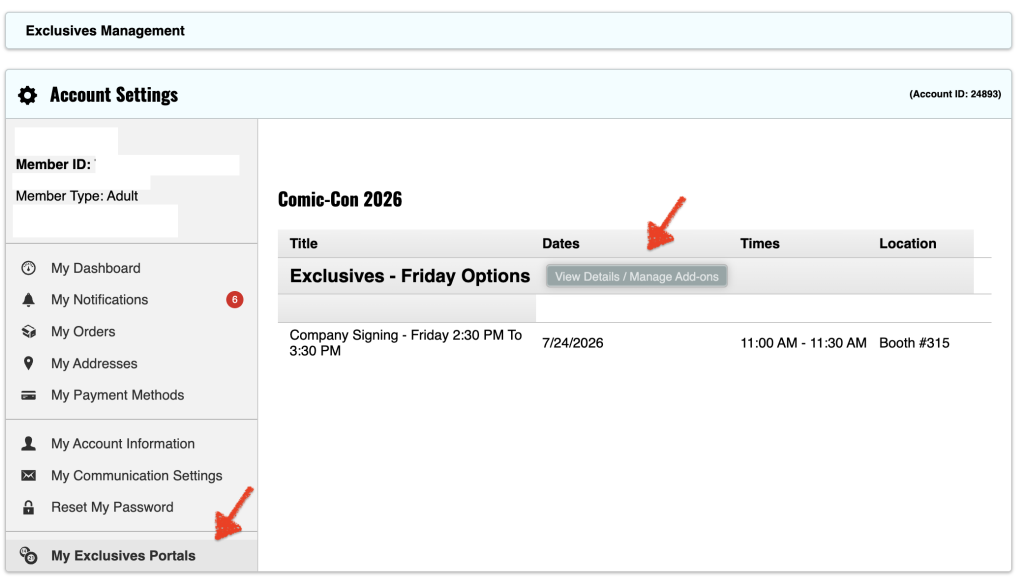
- Remarque : si vous avez utilisé tous vos crédits pour la journée badgée, vous devrez supprimer des demandes afin de regagner des crédits pour ajouter d'autres sélections.
- From this window, click the exclusives you would like to request by selecting in the drop-down.
- Sélectionnez la quantité souhaitée et cliquez sur "Ajouter au panier" ...
- Cliquez sur "Checkout" pour poursuivre la procédure ...
