
COMIC-CON And WonderCon EXCLUSIVES PORTAL FAQ
Comic-Con 2026 will return to the San Diego Convention Center July 23–26, Preview Night July 22!

THE QUICK FACTS
WHAT YOU NEED
- Access sa iyong Comic-Con Member ID account
- A valid Comic-Con 2026 badge that is linked to your Member ID account
WHEN IS IT
- OPEN: Tuesday, July 7, 2026 at 12:00 PM Pacific Daylight Time (PDT).
- CLOSE: Thursday, July 16, 2026 at 12:00 PM Pacific Daylight Time (PDT).
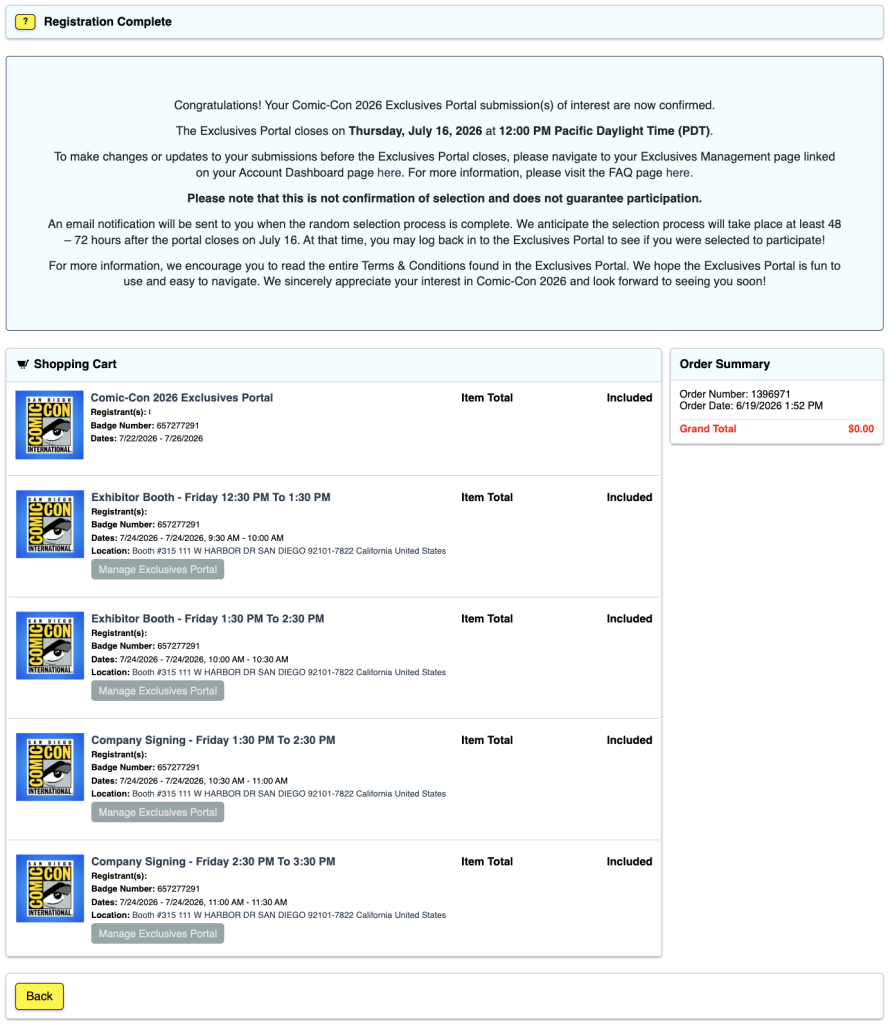
- AWARDING: An email notification will be sent to you when the random selection process is complete. We anticipate the selection process will take place at least 48–72 hours after the portal closes on July 16. At that time, you may log back in to the Exclusives Portal to see if you were selected to participate!
WHO IS ELIGIBLE
- Anyone with a valid and confirmed Comic-Con 2026 badge.
- For more information, see ELIGIBILITY below.
WHERE IT HAPPENS
- The Member ID Portal.
- Please make sure you can access your account before the submission window closes!
Important Notice! Once you submit all your choices, you will not be able to edit, add, or make any changes easily. Double-check your selections and be sure before submitting!
See the TROUBLESHOOTING section for more information.
PAGSISIMULA NA
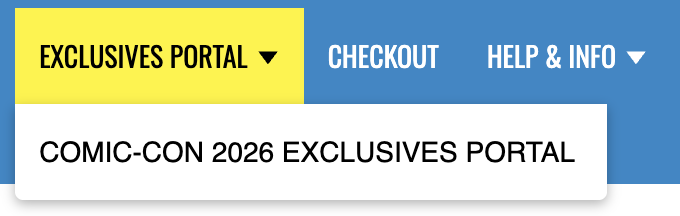
1. Mag log in gamit ang iyong Member ID at mag navigate sa Exclusives Portal sa pamamagitan ng main menu.
2. dapat mo na ngayong makita ang iyong pangalan sa isang berdeng kahon na may isang asul na tuldok na pagpili nito ...
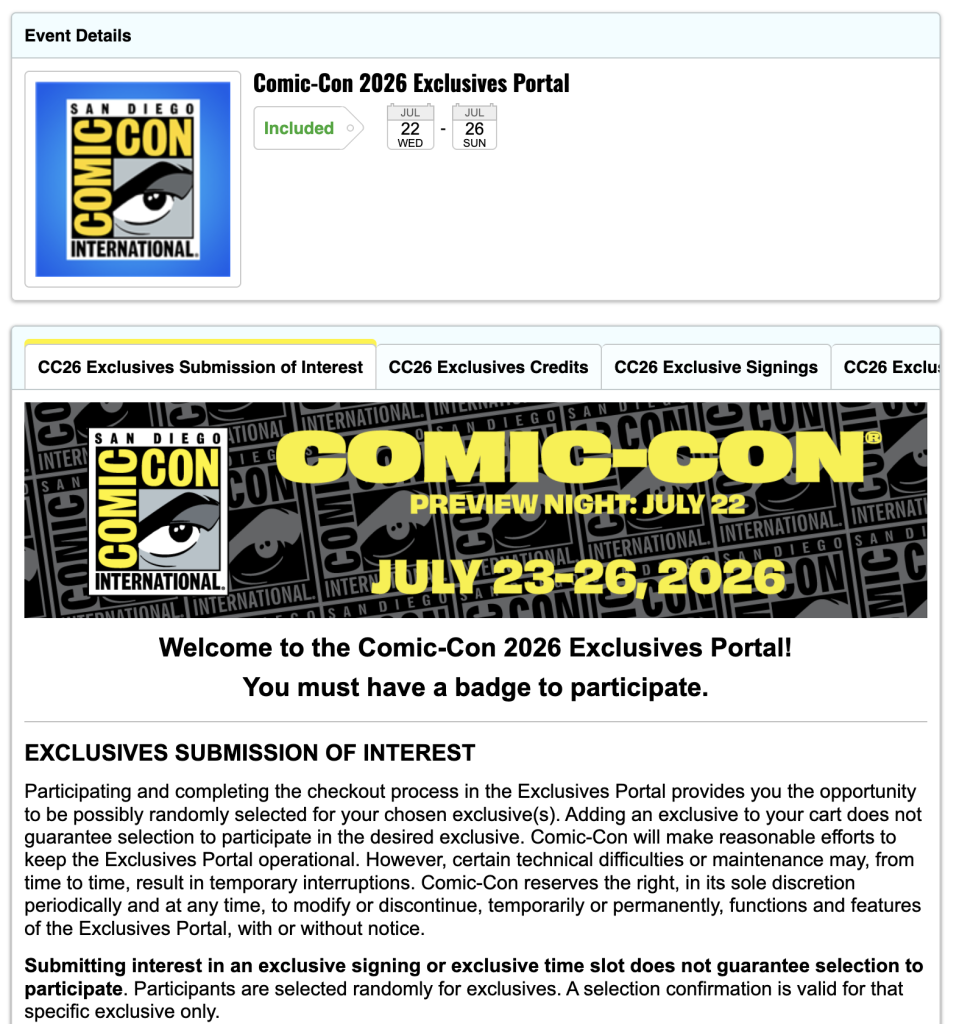
3. click ang dilaw na "Idagdag sa Cart" button ...

4. Sa screen ng Mga Opsyon na Magagamit, makikita mo ang mga pagpipilian para sa bawat araw na maaari mong piliin at ang bilang ng mga entry na mayroon ka para sa bawat araw ...
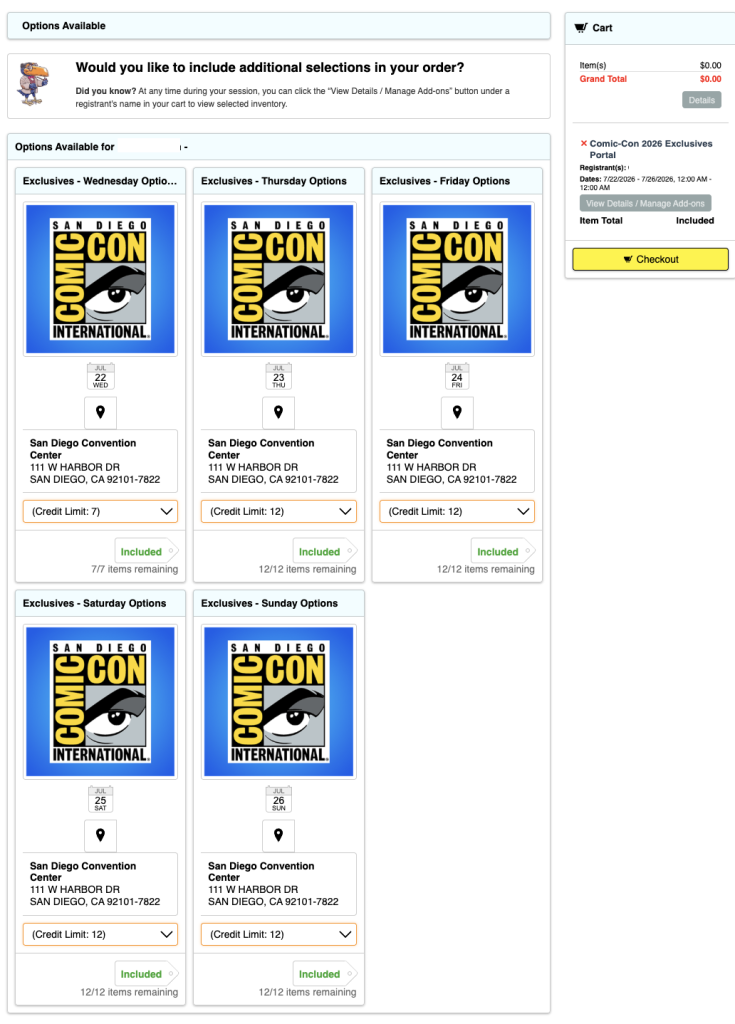
5. Pumili ng isa sa mga pull-down na "Credit Limit" sa ilalim ng araw na gusto mong piliin at makikita mo ang iba't ibang opsyon. Pumili ng isa ...
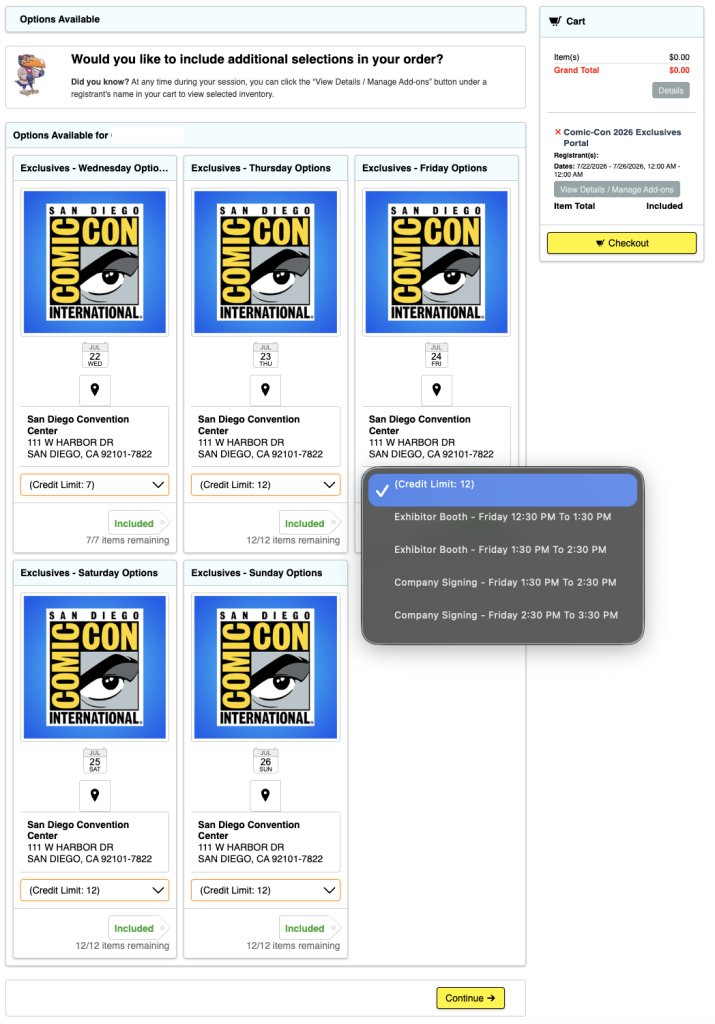
6. You will now see an “Included” tag next to a number with a window. Select how many of your entries you want to use.
7. kung matugunan mo o subukang lumampas sa bilang ng mga kredito na mayroon ka sa araw na badged, makakakuha ka ng isang mensahe ng error sa tuktok ng screen ...

8. Repeat this until all entries for each day are used up. You do not have to use all your entries, but you may not easily be able to change them after you submit.
9. Sa column sa kanan, makikita mo ang listahan ng lahat ng iyong pinili, tulad ng makikita sa Hakbang 6.
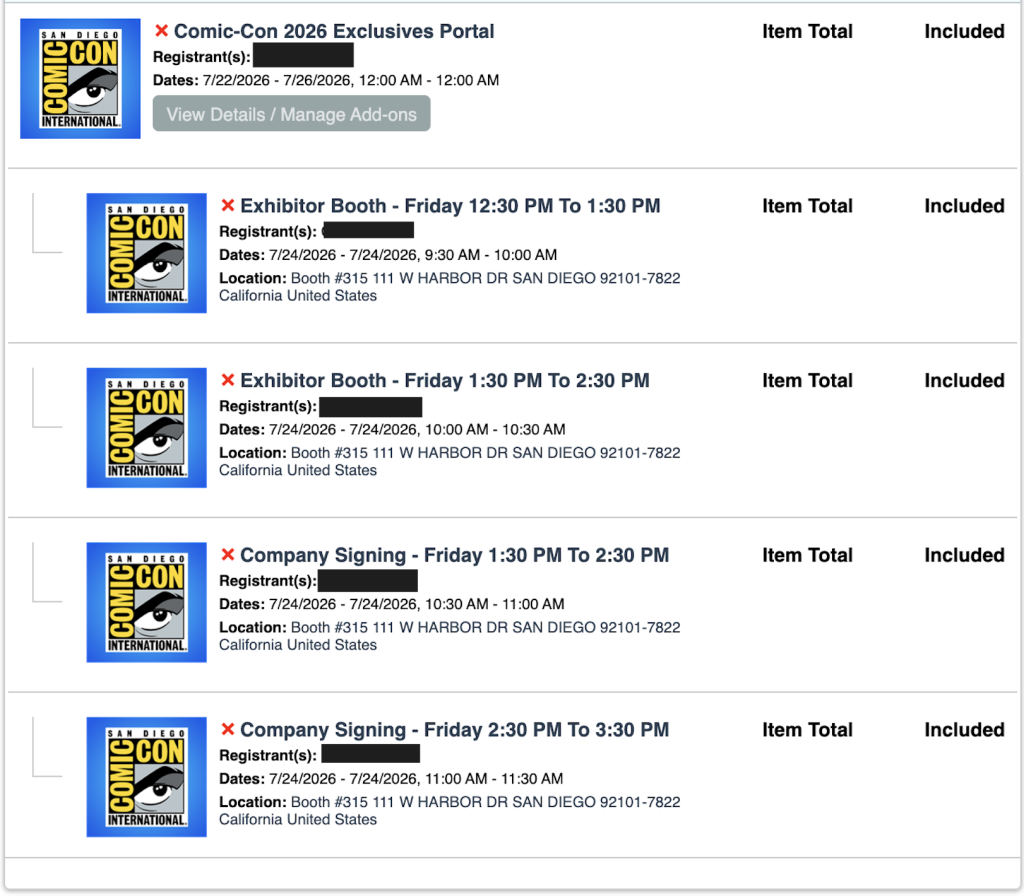
10. kapag tapos ka na, piliin ang alinman sa mga dilaw na pindutan ng "Checkout" ...

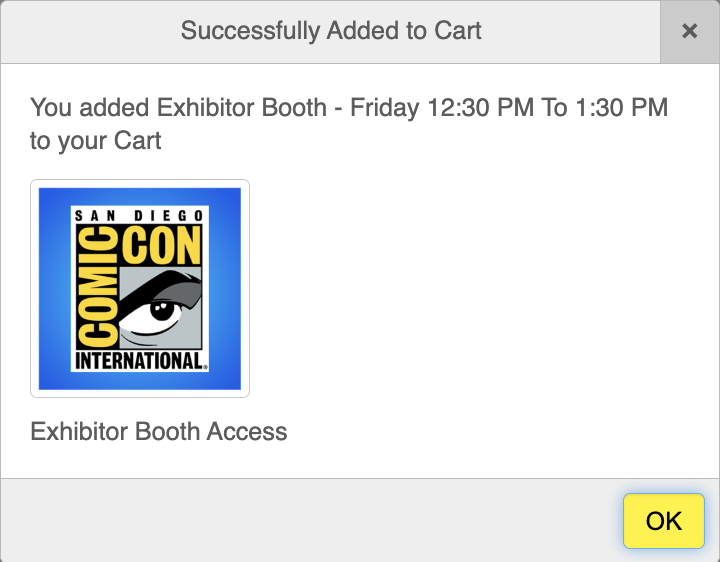
11. A pop-up appears letting you know that you have “Successfully Added to Cart.” To proceed, click the yellow “OK” button again.
12. Basahin ang (mga) Disclaimer at mag-scroll pababa at tanggapin ang Mga Tuntunin at Kundisyon para makapagpatuloy. Mag click sa dilaw na pindutan ng "Save & Continue" ...

13. click ang dilaw na pindutan ng "Process Order" ...

14. Tapos na kayo!
ELIGIBILITY
Paid staff, SDCC Board of Directors, and exhibitors are excluded from participating in an effort to make the Exclusives Portal submission process more fair for attendees.
Badge types that are eligible to participate in the Exclusives Portal submission process are:
- Mga Dumalo
- Mga Pang araw araw na Boluntaryo
- Department Volunteers
- Pindutin ang
- Mga Propesyonal
- Mga Kalahok sa Programa
- Mga nagtitingi
Your badge day must correspond to the date of the exclusive you are interested in.
- If there is a signing on Friday but you have Thursday and Saturday badges, you will not be able to submit interest for the Friday signing.
Your Comic-Con 2026 badge must be registered with your Member ID account to participate.
If you have registered your Comic-Con 2026 badge without a Member ID, it will not be eligible to participate.
If you have any questions about eligibility, please reach out to our customer service team.
PAG-TROUBLESHOOT
1. Kung nagkakaroon ka ng mga isyu o nakuha ang mensahe ng error na "Ang cart ay naglalaman na ng ____ na dumadalo sa kaganapang ito," ang unang bagay na dapat mong gawin ay alisin ang lahat ng item mula sa iyong cart sa pamamagitan ng pag-click sa pulang X sa tabi ng bawat item sa kanang bahagi. Pagkatapos, mag log out sa portal ng ID ng Miyembro. Sa wakas, i clear ang cache ng iyong browser at cookies, at mag quit sa iyong browser. Buksan ang iyong browser, at mag log in muli sa iyong Member ID, at subukang muli.
2. Nakatanggap ako ng "Product requires membership access unavailable to participant." message ...

- This means that you aren’t recognized as having a badge for Comic-Con 2026 and/or aren’t currently eligible to participate in the Comic-Con 2026 Exclusives Portal. Please log in to your Member ID to verify that you have an eligible registration.
3. hindi lahat ng badged days ko ay nagpapakita.
- Mag log in sa iyong Member ID at pumunta sa pahina ng Buod ng Account.
- Verify that you have a valid badge for Comic-Con 2026.
- Kung na verify mo sa "part b," at hindi mo pa rin ma access ang Exclusives Portal o badged days, mangyaring mag abot sa aming customer service department para sa tulong.
4. naka check out na ako at nakumpleto ang proseso, ngunit nais kong gumawa ng mga pagbabago ...
- Mag log in sa iyong Member ID at pumunta sa pahina ng Buod ng Account.
- Click on your “My Exclusives Portals” from the menu on the side and click on “View Details / Manage Add-ons” …
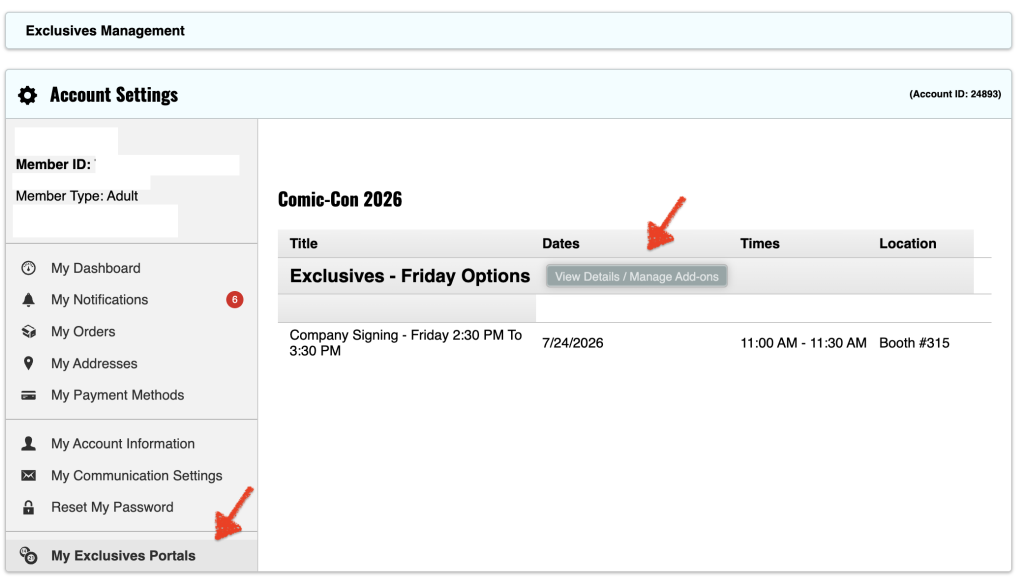
- Tandaan: Kung ginamit mo na ang lahat ng iyong mga kredito para sa araw ng badged, pagkatapos ay kakailanganin mong alisin ang mga kahilingan upang mabawi ang mga kredito upang magdagdag ng mga kahaliling pagpipilian.
- From this window, click the exclusives you would like to request by selecting in the drop-down.
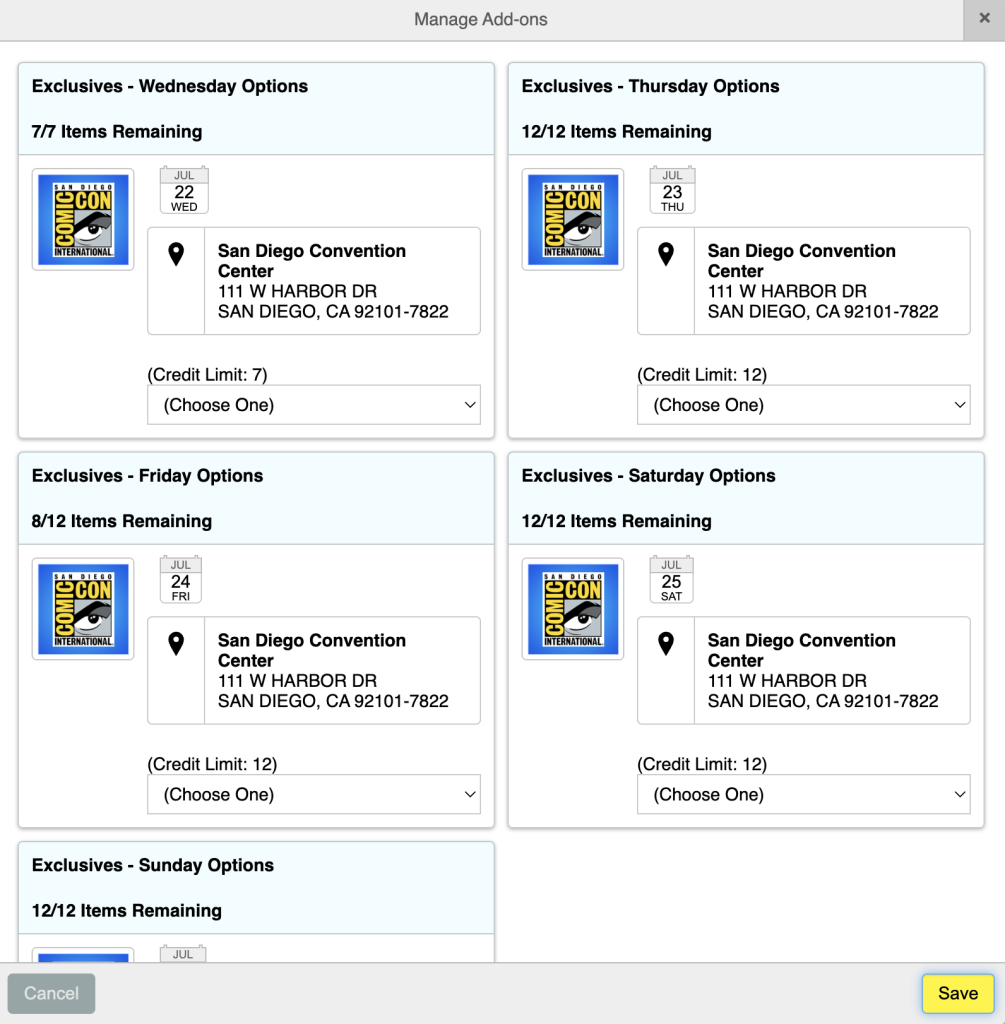
- Piliin ang dami na nais mong humiling at i click ang "Idagdag sa Cart" ...
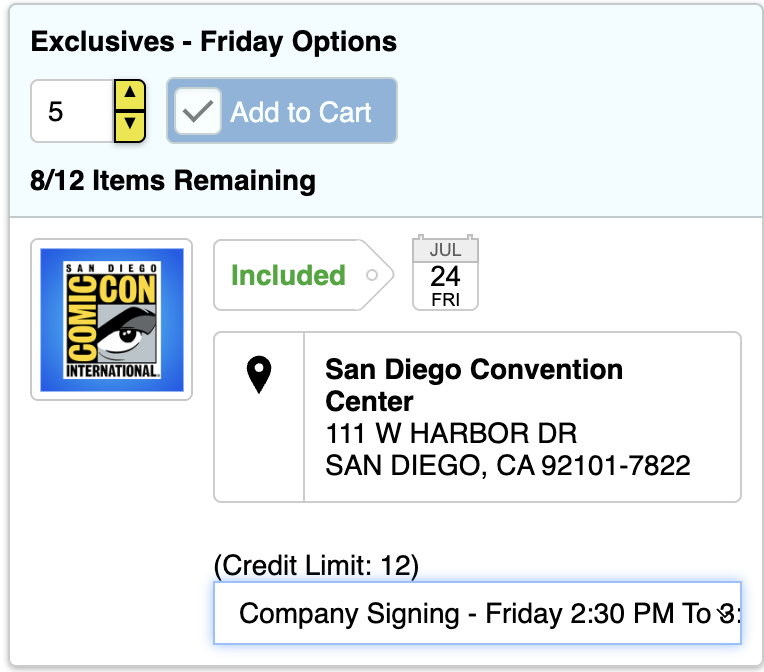
- Mag click sa "Checkout" upang magpatuloy sa proseso ...
