
COMIC-CON And WonderCon EXCLUSIVES PORTAL FAQ
Comic-Con 2026 will return to the San Diego Convention Center July 23–26, Preview Night July 22!

THE QUICK FACTS
WHAT YOU NEED
- Accesso al proprio account Comic-Con Member ID
- A valid Comic-Con 2026 badge that is linked to your Member ID account
WHEN IS IT
- OPEN: Tuesday, July 7, 2026 at 12:00 PM Pacific Daylight Time (PDT).
- CLOSE: Thursday, July 16, 2026 at 12:00 PM Pacific Daylight Time (PDT).
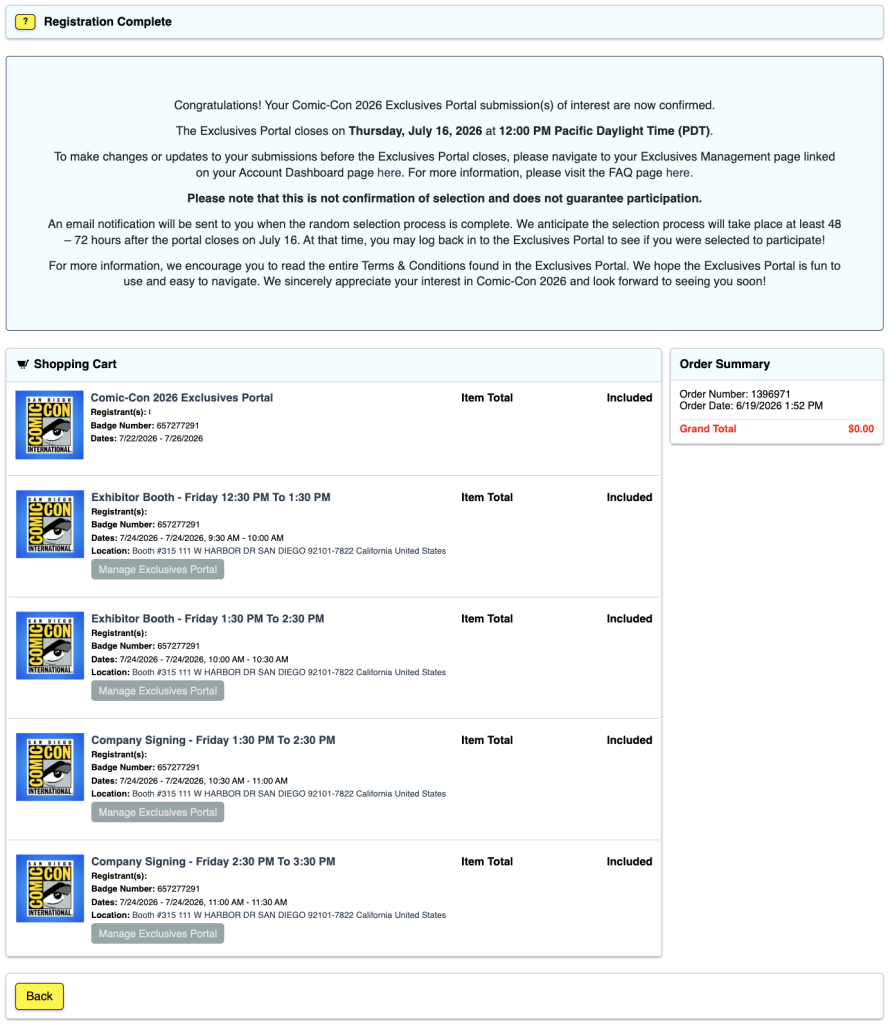
- AWARDING: An email notification will be sent to you when the random selection process is complete. We anticipate the selection process will take place at least 48–72 hours after the portal closes on July 16. At that time, you may log back in to the Exclusives Portal to see if you were selected to participate!
WHO IS ELIGIBLE
- Anyone with a valid and confirmed Comic-Con 2026 badge.
- For more information, see ELIGIBILITY below.
WHERE IT HAPPENS
- The Member ID Portal.
- Please make sure you can access your account before the submission window closes!
Important Notice! Once you submit all your choices, you will not be able to edit, add, or make any changes easily. Double-check your selections and be sure before submitting!
See the TROUBLESHOOTING section for more information.
INIZIARE A LAVORARE
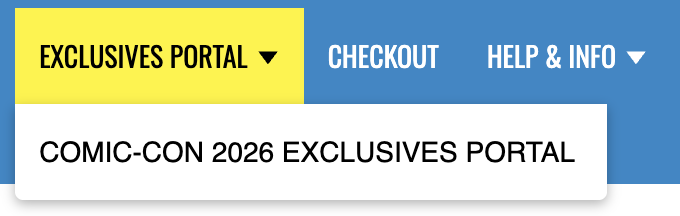
1. Effettuare il login con il proprio ID membro e accedere al Portale delle esclusive tramite il menu principale.
2. A questo punto, il vostro nome dovrebbe apparire in una casella verde con un punto blu che lo seleziona...
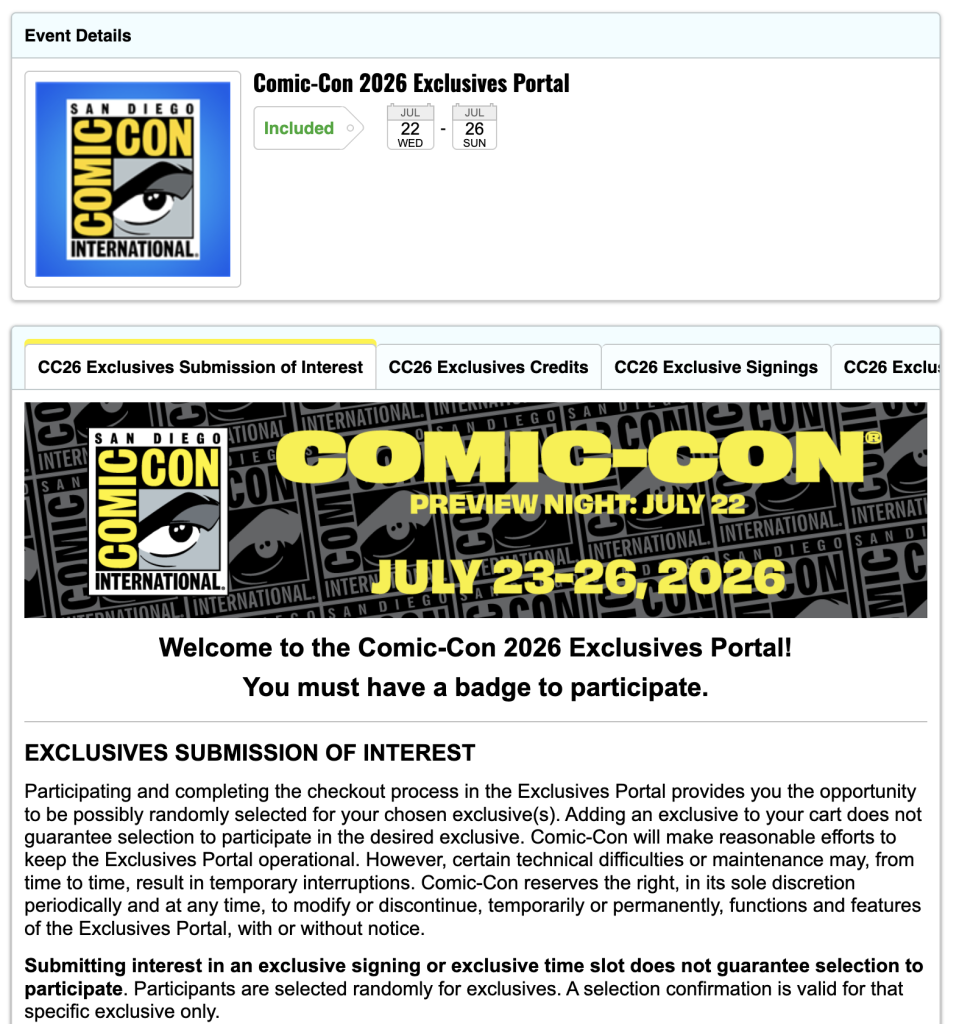
3. Fare clic sul pulsante giallo "Aggiungi al carrello" ...

4. Nella schermata Opzioni disponibili, vengono visualizzate le opzioni per ogni giorno selezionabile e il numero di voci disponibili per ogni giorno ...
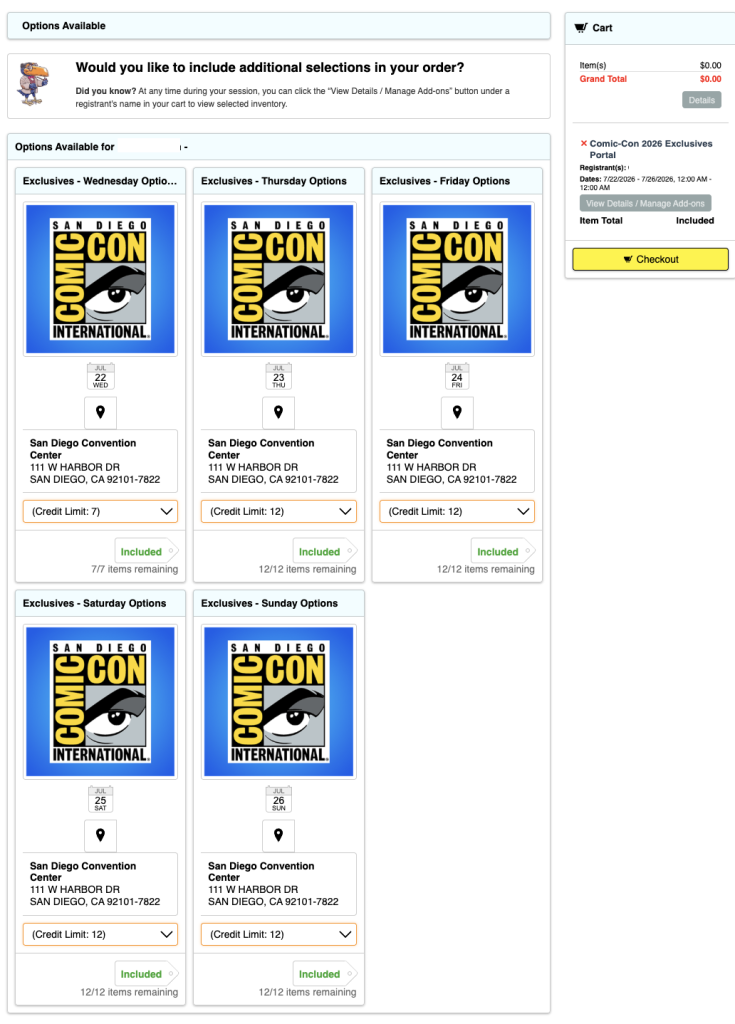
5. Selezionate uno dei pull-down "Limite di credito" sotto il giorno che desiderate selezionare e vedrete le varie opzioni. Selezionare una ...
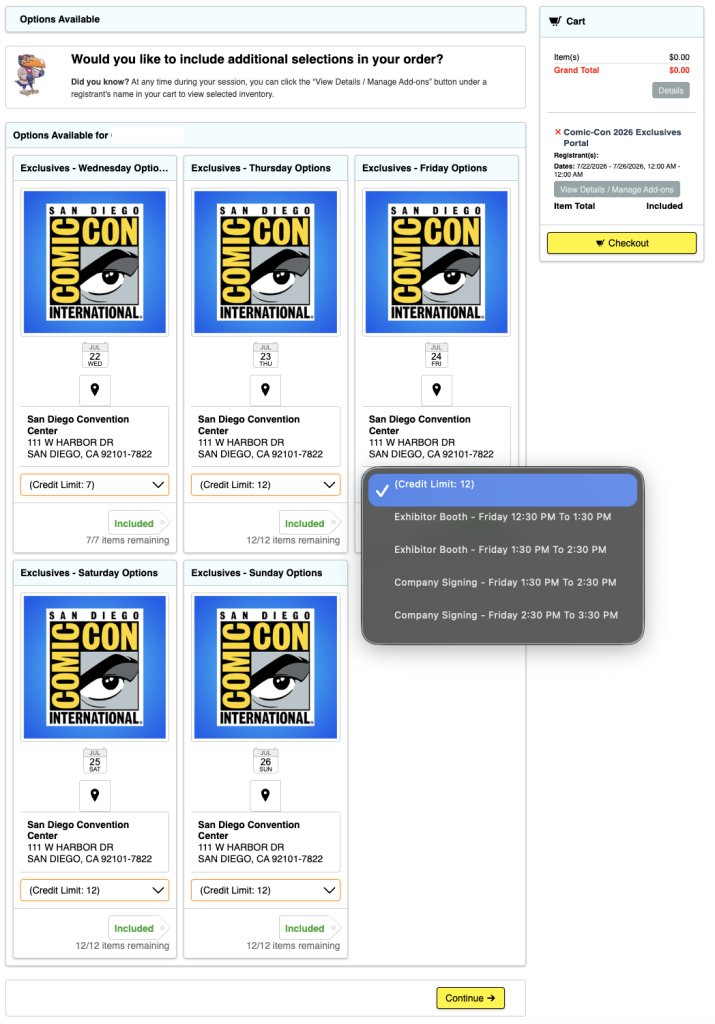
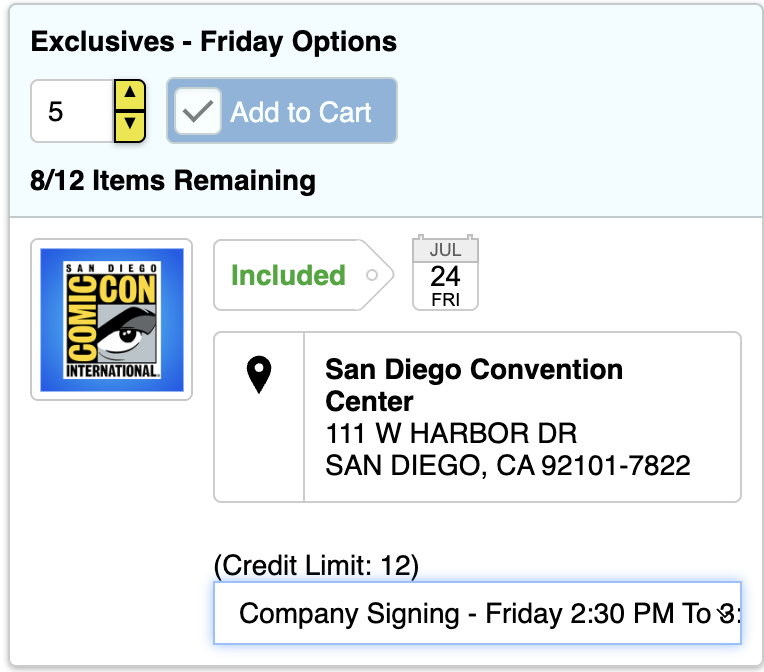
6. You will now see an “Included” tag next to a number with a window. Select how many of your entries you want to use.
7. Se si raggiunge o si tenta di superare il numero di crediti disponibili nel giorno in cui si è registrati, viene visualizzato un messaggio di errore nella parte superiore dello schermo ...

8. Repeat this until all entries for each day are used up. You do not have to use all your entries, but you may not easily be able to change them after you submit.
9. Nella colonna a destra viene visualizzato l'elenco di tutte le selezioni effettuate, come visto al punto 6.
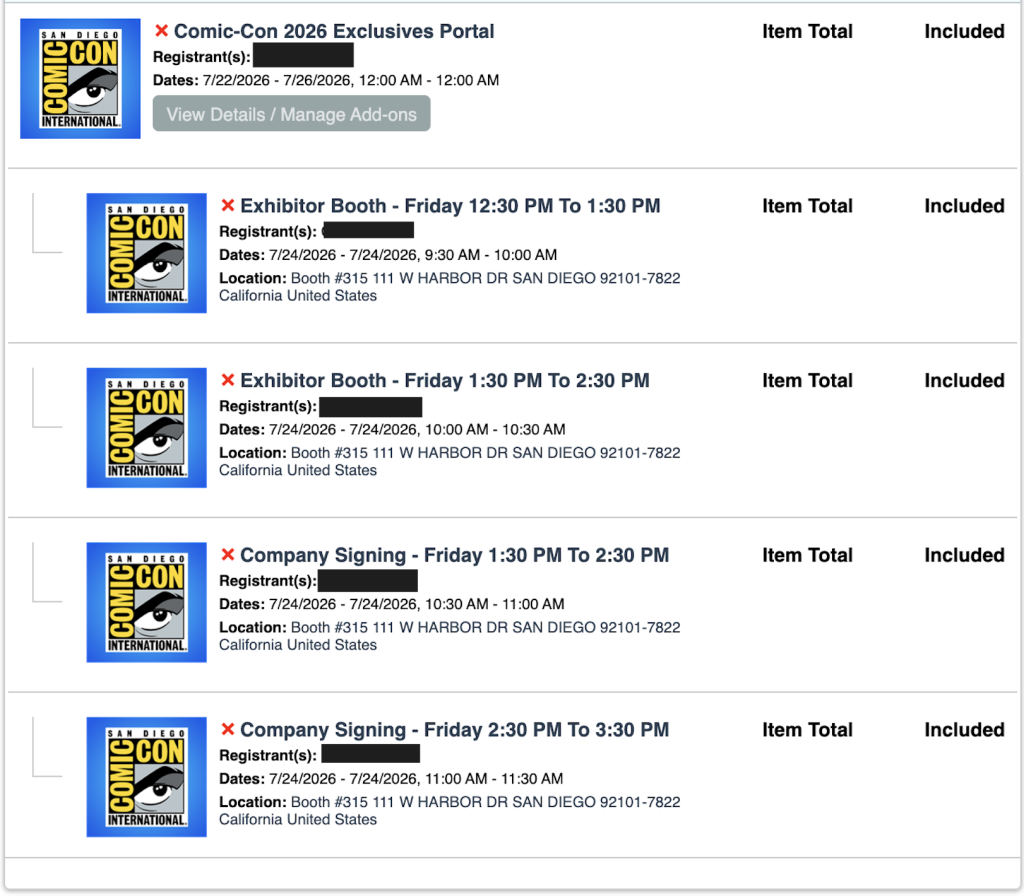
10. Al termine, selezionare uno dei due pulsanti gialli "Checkout" ...

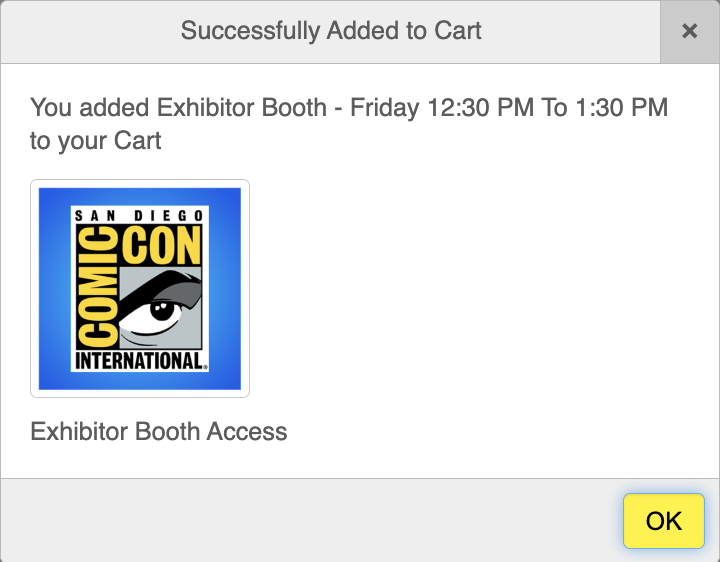
11. A pop-up appears letting you know that you have “Successfully Added to Cart.” To proceed, click the yellow “OK” button again.
12. Leggere le clausole di esclusione di responsabilità, scorrere verso il basso e accettare i Termini e condizioni per procedere. Fare clic sul pulsante giallo "Salva e continua" ...

13. Fare clic sul pulsante giallo "Elabora ordine" ...

14. Avete finito!
ELIGIBILITY
Paid staff, SDCC Board of Directors, and exhibitors are excluded from participating in an effort to make the Exclusives Portal submission process more fair for attendees.
Badge types that are eligible to participate in the Exclusives Portal submission process are:
- Partecipanti
- Volontari giornalieri
- Department Volunteers
- Stampa
- Professionisti
- Partecipanti al programma
- Rivenditori
Your badge day must correspond to the date of the exclusive you are interested in.
- If there is a signing on Friday but you have Thursday and Saturday badges, you will not be able to submit interest for the Friday signing.
Your Comic-Con 2026 badge must be registered with your Member ID account to participate.
If you have registered your Comic-Con 2026 badge without a Member ID, it will not be eligible to participate.
If you have any questions about eligibility, please reach out to our customer service team.
RISOLUZIONE DEI PROBLEMI
1. Se si verificano problemi o viene visualizzato il messaggio di errore "Il carrello contiene già ____ che partecipa a questo evento", la prima cosa da fare è rimuovere tutti gli articoli dal carrello facendo clic sulla X rossa accanto a ciascun articolo sul lato destro. Quindi, uscire dal portale ID Socio. Infine, cancellate la cache e i cookie del browser e chiudete il browser. Aprite il browser, accedete nuovamente al vostro ID membro e riprovate.
2. Ho ricevuto il messaggio "Il prodotto richiede l'accesso come membro non disponibile per il partecipante" ...

- This means that you aren’t recognized as having a badge for Comic-Con 2026 and/or aren’t currently eligible to participate in the Comic-Con 2026 Exclusives Portal. Please log in to your Member ID to verify that you have an eligible registration.
3. Non tutti i miei giorni contrassegnati sono visibili.
- Effettuare il login con il proprio ID Socio e accedere alla pagina Riepilogo account.
- Verify that you have a valid badge for Comic-Con 2026.
- Se avete verificato la "parte b" e non siete ancora in grado di accedere al Portale delle esclusive o ai giorni con badge, contattate il nostro servizio clienti per assistenza.
4. Ho già effettuato il check-out e completato il processo, ma voglio apportare modifiche...
- Effettuare il login con il proprio ID Socio e accedere alla pagina Riepilogo account.
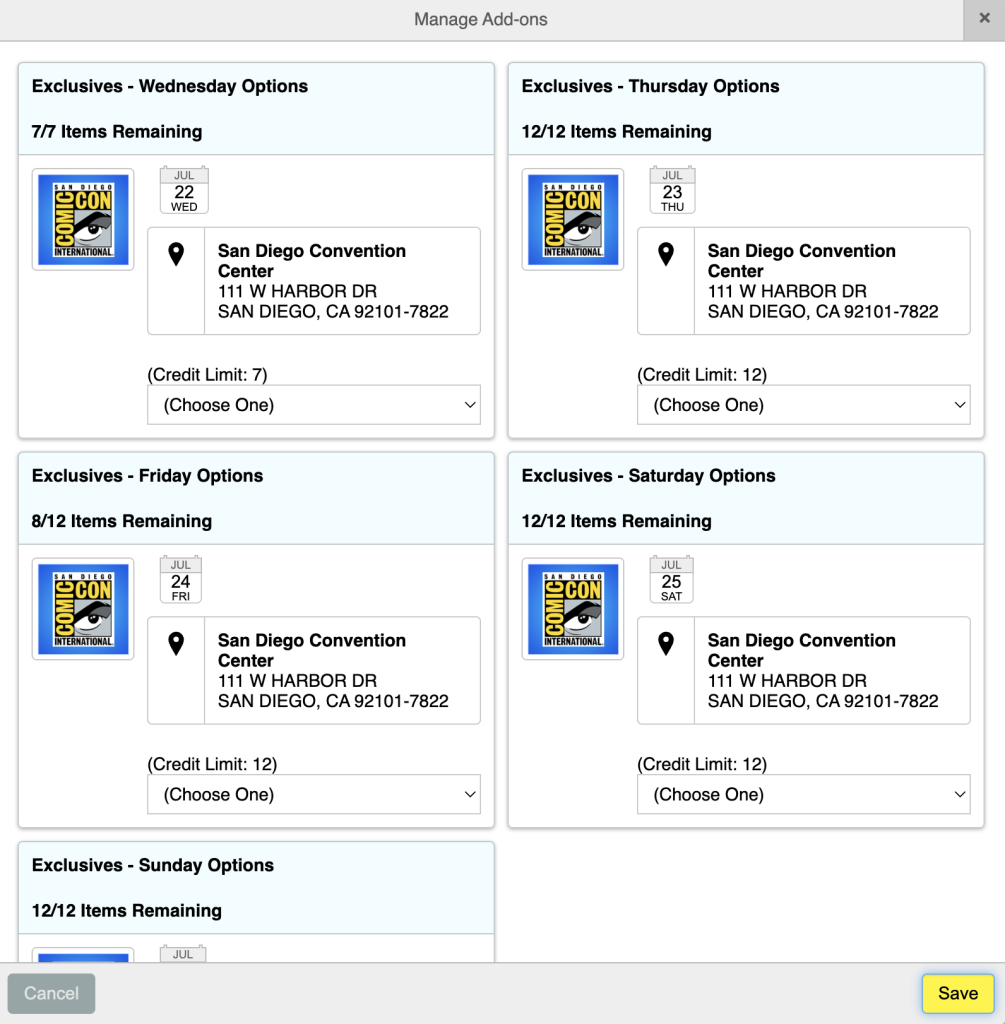
- Click on your “My Exclusives Portals” from the menu on the side and click on “View Details / Manage Add-ons” …
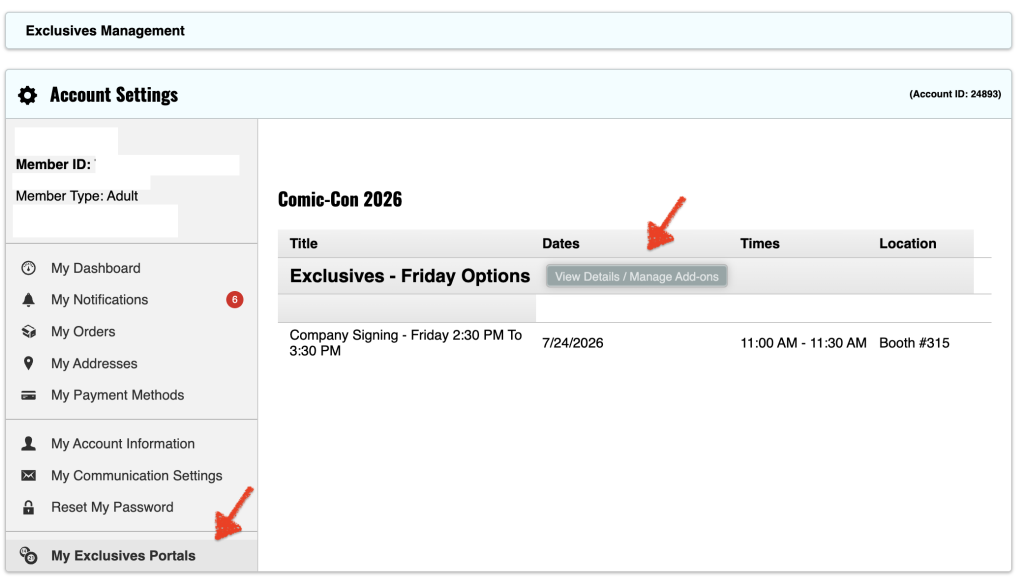
- Nota: se sono stati utilizzati tutti i crediti per il giorno contrassegnato, è necessario rimuovere le richieste per recuperare i crediti per aggiungere selezioni alternative.
- From this window, click the exclusives you would like to request by selecting in the drop-down.
- Selezionare la quantità desiderata e fare clic su "Aggiungi al carrello" ...
- Fare clic su "Checkout" per continuare il processo ...
